
Teleprompter
Type Teleprompter in the launcher, paste your script or use the included example, then choose Start or press ⌘ Enter. The launcher steps aside and the reader attaches to the top edge of the current display.
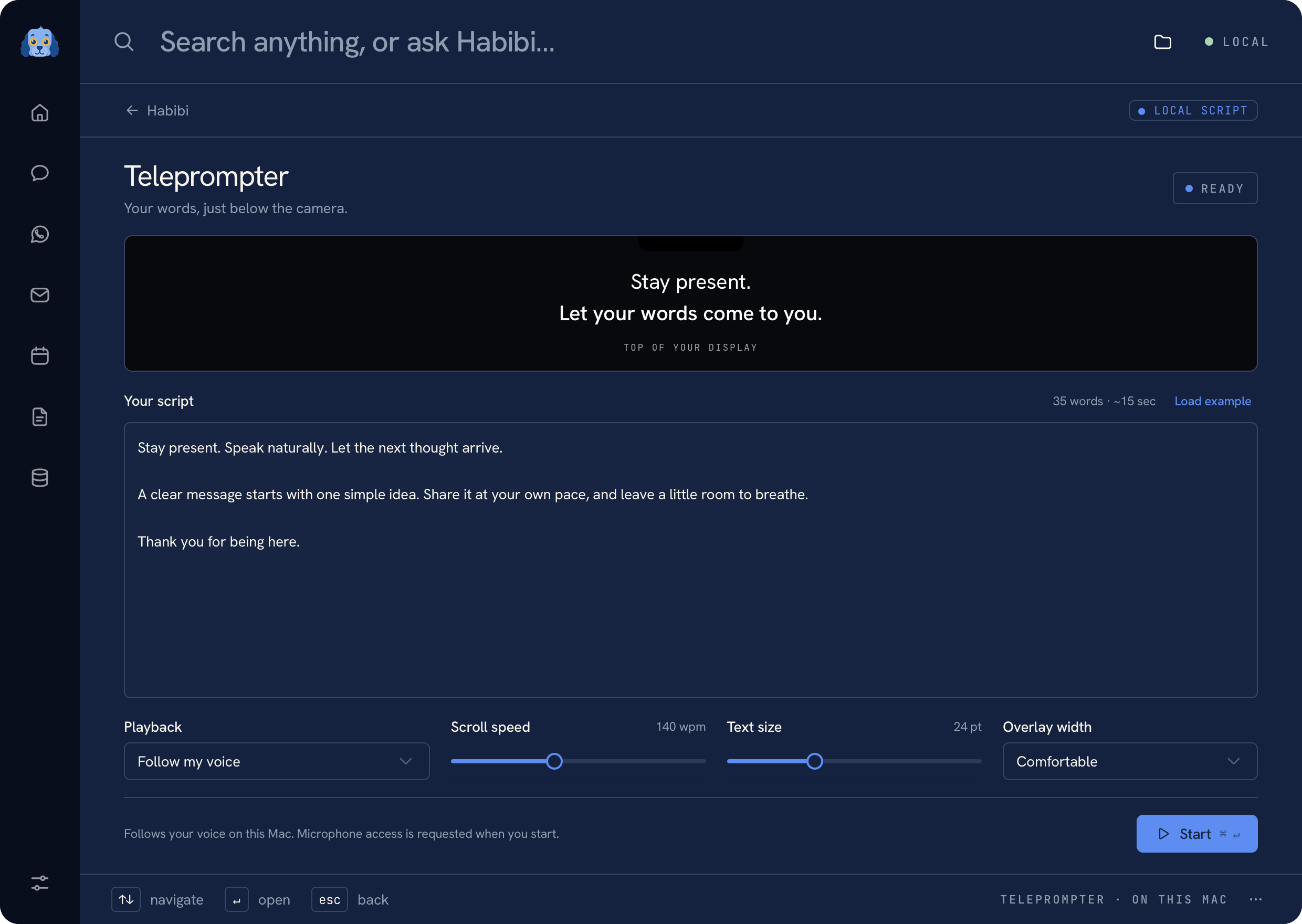 Teleprompter editor with a fictional script
Follow your voice#
Follow my voice is the default. Allow microphone and speech-recognition access when macOS prompts you, then read naturally. Spoken words fade as the reader follows your place. It holds still during silence.
Recognition runs on this Mac. Audio is not saved or sent to a server. If on-device recognition is unavailable for the system language, use automatic scrolling instead.
Scroll automatically#
Choose Automatic scrolling and set the reading pace. The editor also lets you adjust text size and reader width. Load example restores the practice script so you can test the reader without using private content.
 Floating reader with fictional text
Control the reader#
Use its controls to restart, pause, resume, and close. When the reader is focused, Space pauses or resumes and Escape closes it.
Your script and reading preferences are saved locally. Pausing, closing, finishing, or putting the Mac to sleep stops listening and scrolling. No model connection is required. See Troubleshooting for microphone or display issues.
Was this page helpful?