
Query data with Chat
A useful Chat request describes the result you need. Name the object when you know it, say which records matter, and ask for the fields or summary that answer the question. This reduces the number of assumptions a model has to make.
Choose a provider and model in Chat, then try a bounded read request. For the documentation's PostgreSQL schema:
Text
Show the first 10 users from test_schema.users, ordered by id.
Return only id, username, and email.
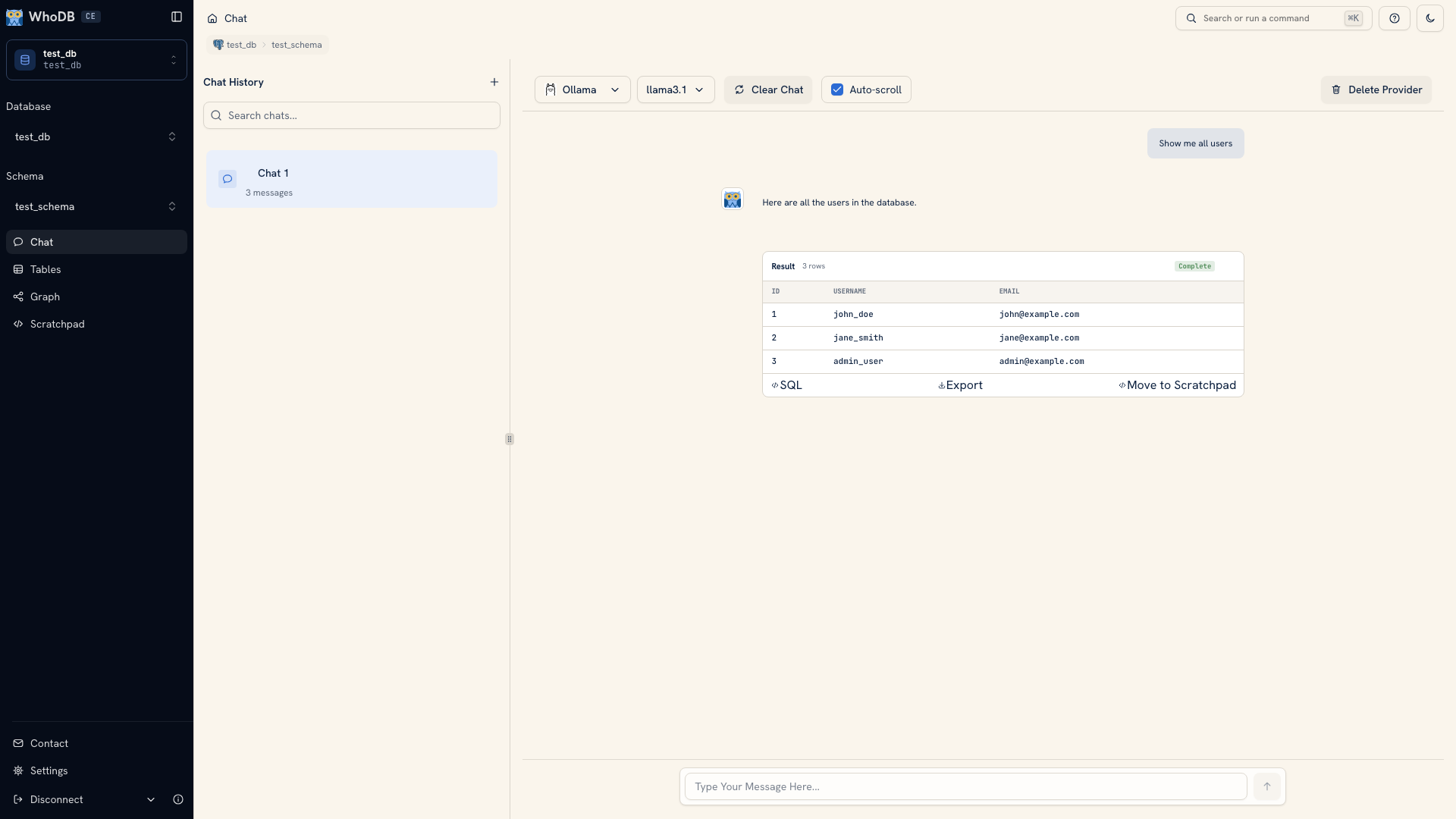 Chat showing a generated query result
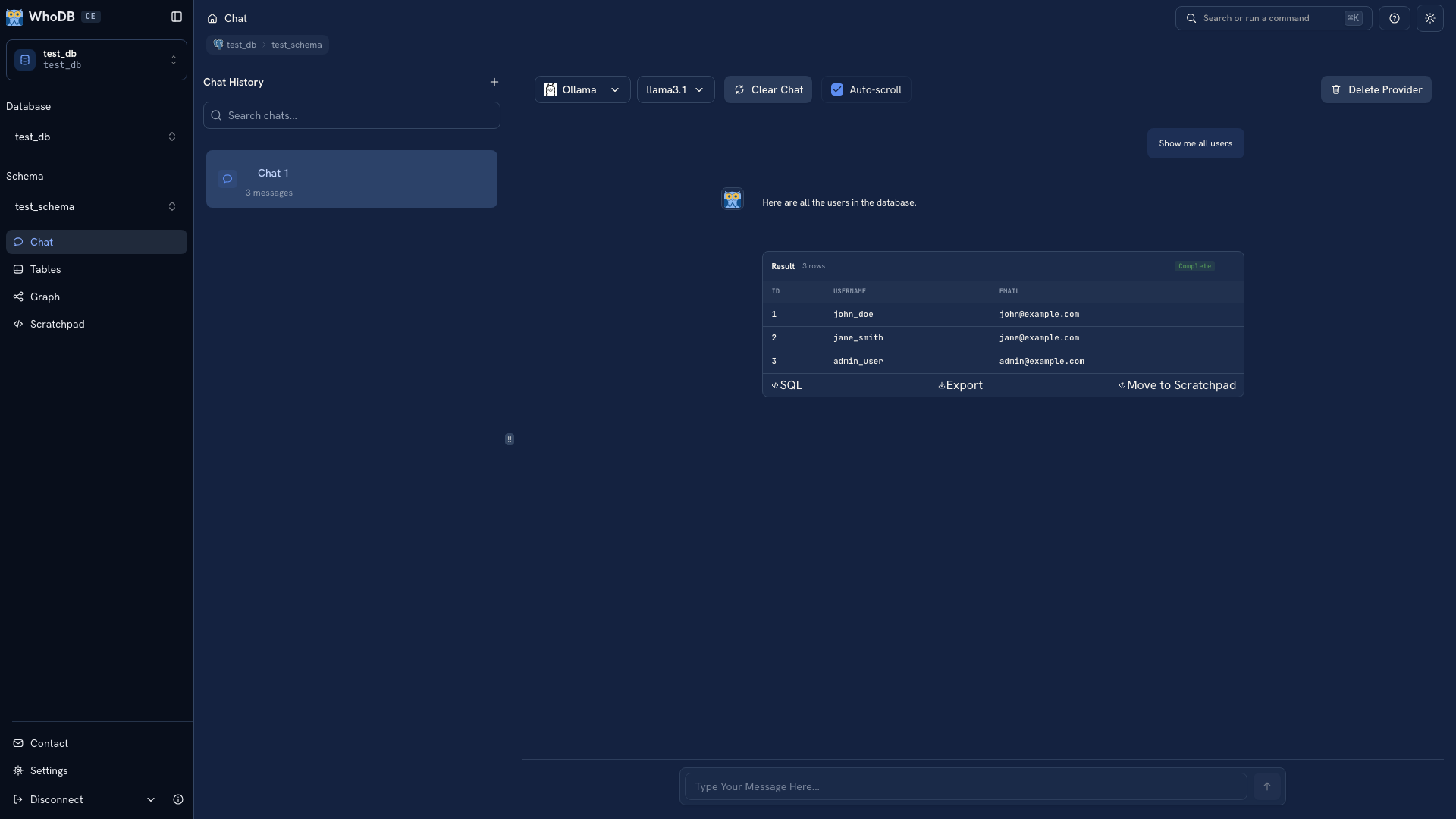 Chat showing a generated query result
Note
The screenshot uses a fixed demonstration response. Use your own schema and provider to get an actual result.
Inspect the query#
Open the SQL view on the result. Check the object names, predicates, requested fields, and order. If the result is a sample, check the limit as well.
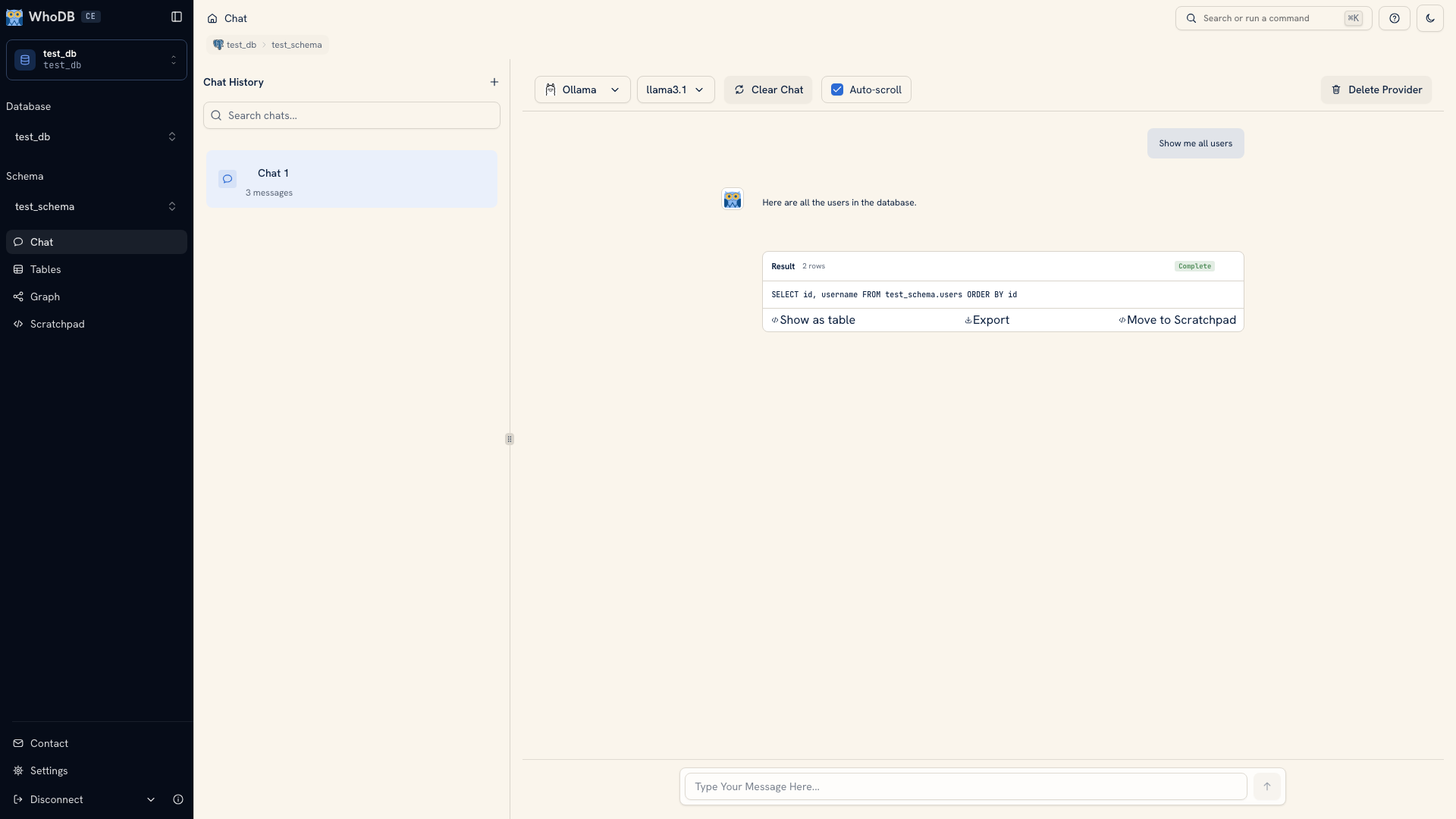 Generated SQL displayed in Chat
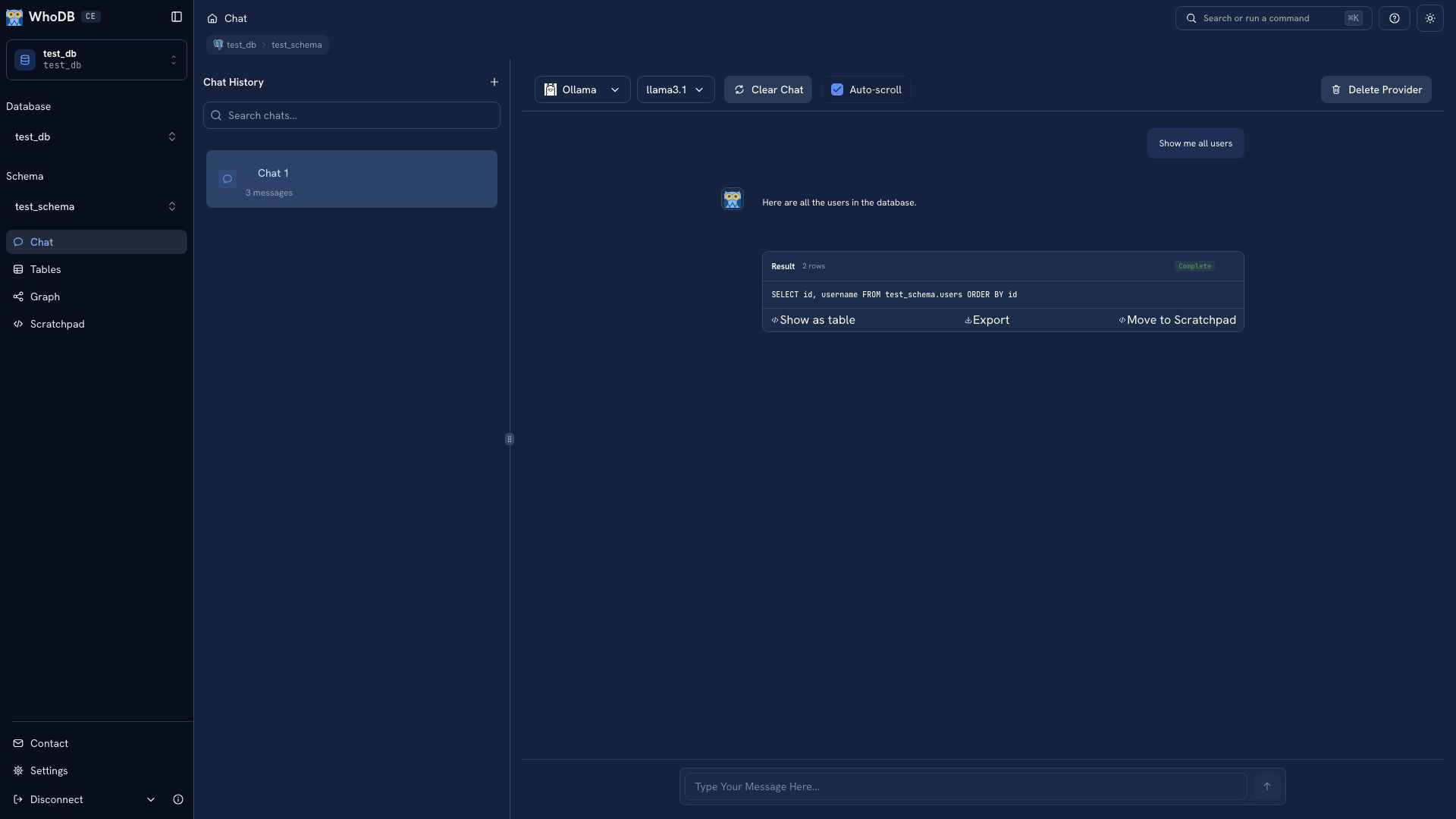 Generated SQL displayed in Chat
For a count or total, read the join and grouping carefully. “Number of orders” and “number of order items” can produce different answers even when they use related tables. Compare a known record or a small group to the result before trusting the summary.
Refine the question#
Ask for one clear change at a time. For example:
Text
Count orders for each user. Include users with no orders.
Return the user ID, username, and order count.
State how to treat missing values, dates, and records such as cancelled orders when those rules affect the answer. If the question uses a term such as revenue or active customer, define it instead of assuming the database or model knows your team's meaning.
Keep the useful work#
Export the returned result for a file, or use Move to Scratchpad to continue with an editable query where the source supports it. Keep the final query and its interpretation in a file or repository when another person needs to reproduce the answer.
Handle failures#
If a request fails, read the error and generated SQL. Confirm the connection and schema, inspect the fields in Info, and check whether the database account can read the object.
Move the query to Scratchpad when a small manual correction is clearer than another prompt. If the generated query runs but gives an unexpected answer, reduce the request to known records and rebuild the logic from there.
Next: Conversation tools · Review changes
Was this page helpful?