
Map a schema visually
Use Graph when a question spans several tables and you need to see how their keys connect. This walkthrough creates a diagram of an order workflow that you can inspect and share.
Connect to a relational database containing declared foreign keys. Graph shows relationships reported by the source; it does not infer every relationship used by your application.
Select the tables for one question#
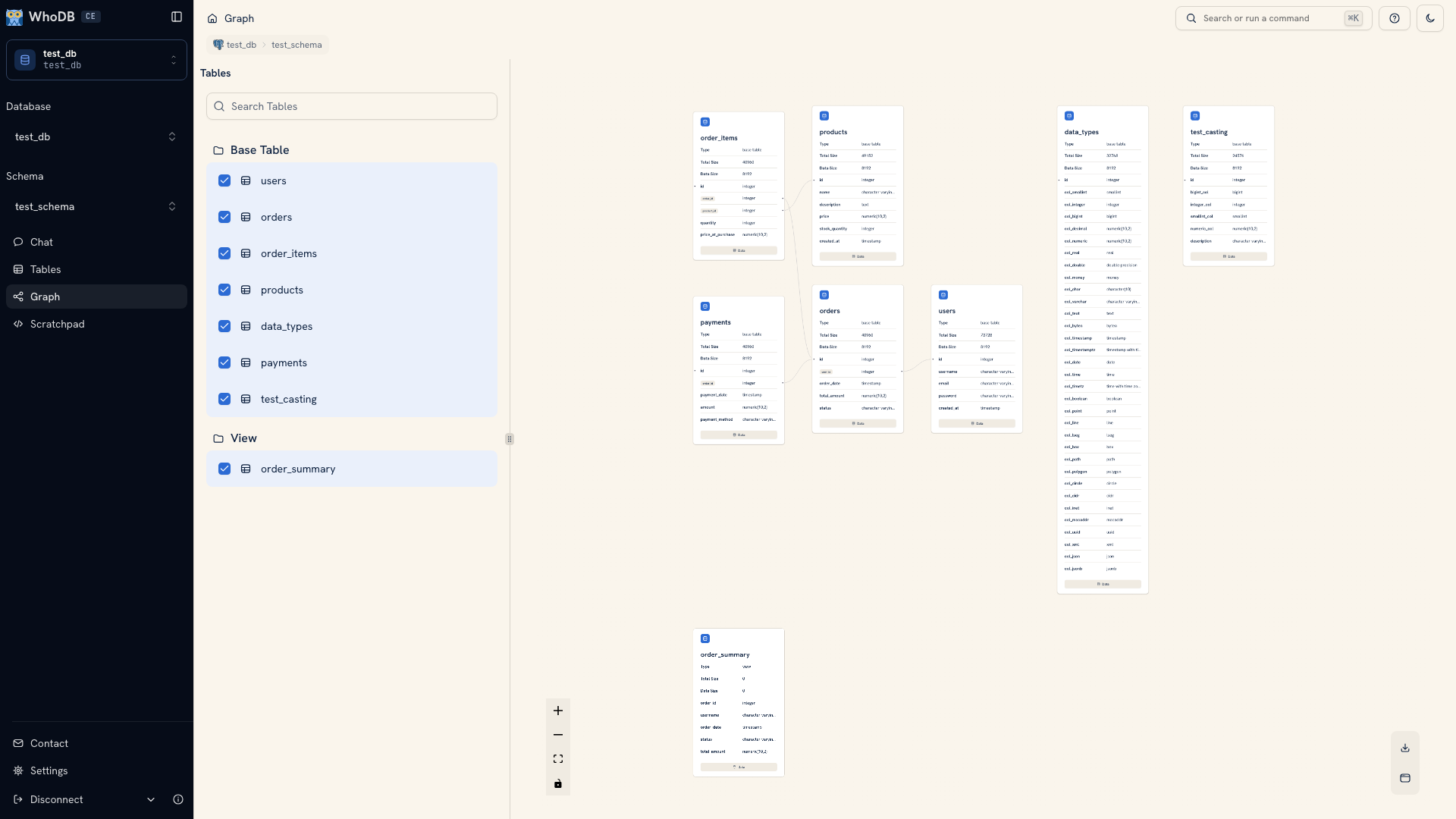
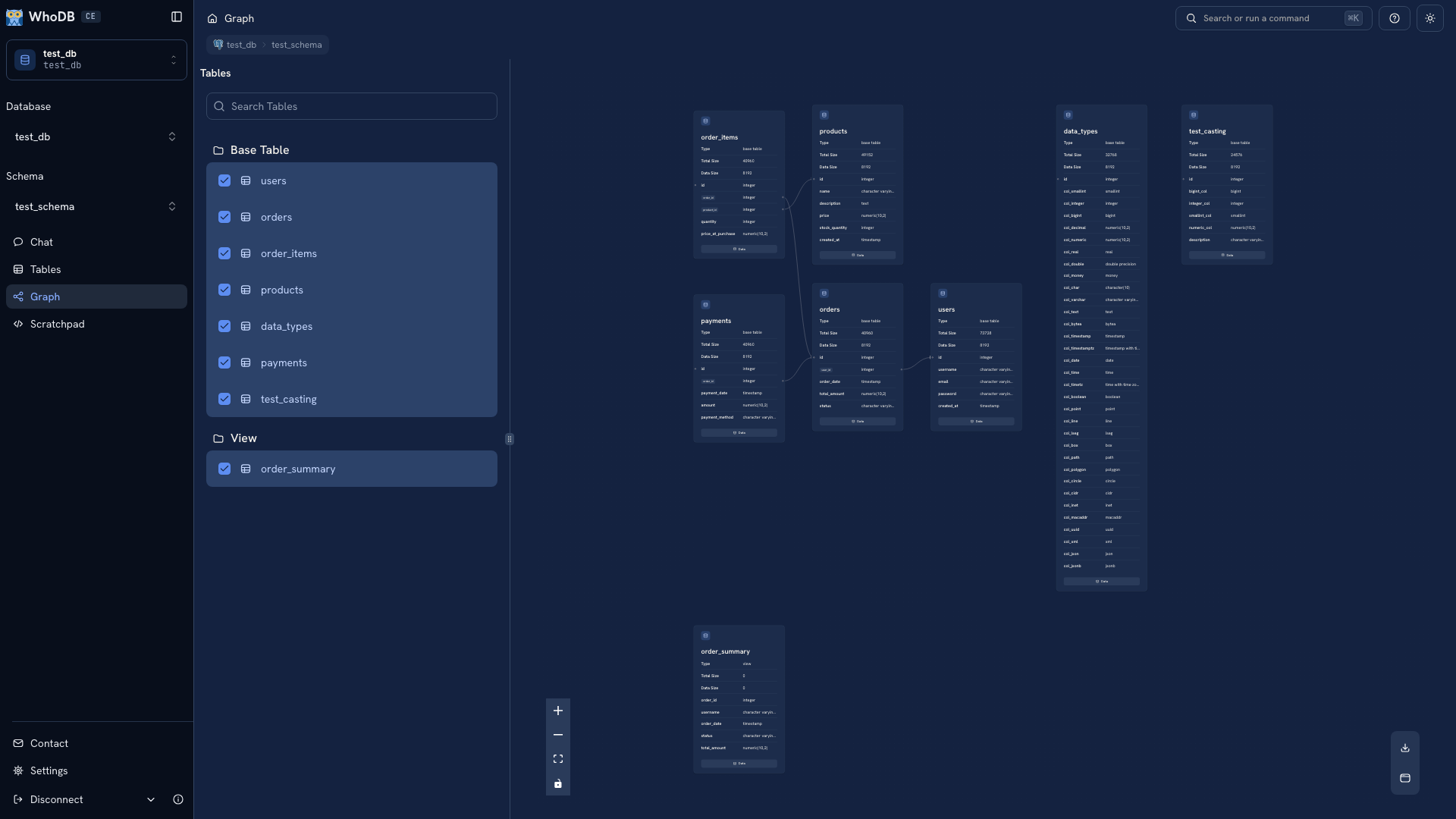
Open Graph. Use its object sidebar to select the central table, such as orders, and the tables it refers to, such as users and order_items. Search by name if the schema is large.
Start with this small group. Selecting every object can make the diagram too dense to read and can hide the relationship you are investigating.
 A schema graph in WhoDB
 A schema graph in WhoDB
Read a relationship#
Click a node to inspect its fields. Follow an edge and check the fields at both ends. For example, an edge from orders.user_id to users.id explains which user an order references.
Use a node's Data action to open its records. Compare a known foreign-key value with the referenced record. This helps confirm that you understand the diagram before writing a join.
If an expected edge is missing, inspect Info and check whether the database declares the foreign key. A field called user_id can be used by application code without a database constraint. Its name alone does not establish the relationship.
Make the view readable#
Use the layout action to arrange the selected nodes, then fit the diagram to the canvas. Adjust the selection or zoom until the important field names are readable. Remove unrelated objects rather than shrinking the entire schema to fit.
Download the diagram when the selected relationships answer your question. Include the source, schema, and capture date when sharing it, since a static image does not track later schema changes.
Continue with relationship interpretation for key semantics, or build a join to use the relationship in a query.
Was this page helpful?