
Validate a data migration
Use WhoDB to inspect and validate a planned transfer of records. A successful import means the operation was accepted; comparing the target with the intended source data establishes whether the move was correct.
Define the transfer#
Record the source and target objects, columns, key handling, and expected row count. Decide how to treat existing target records and missing values. Test with a small disposable target before moving important data.
For a bounded tabular transfer, export a query result as CSV or Excel. Select only the fields needed by the target. Use database-native tools for full backups, restores, or large bulk transfers that need database-specific handling.
Preview the target import#
Open Import on the target object and review the preview, field mapping, and parsed values. Check identifiers, dates, and empty cells carefully.
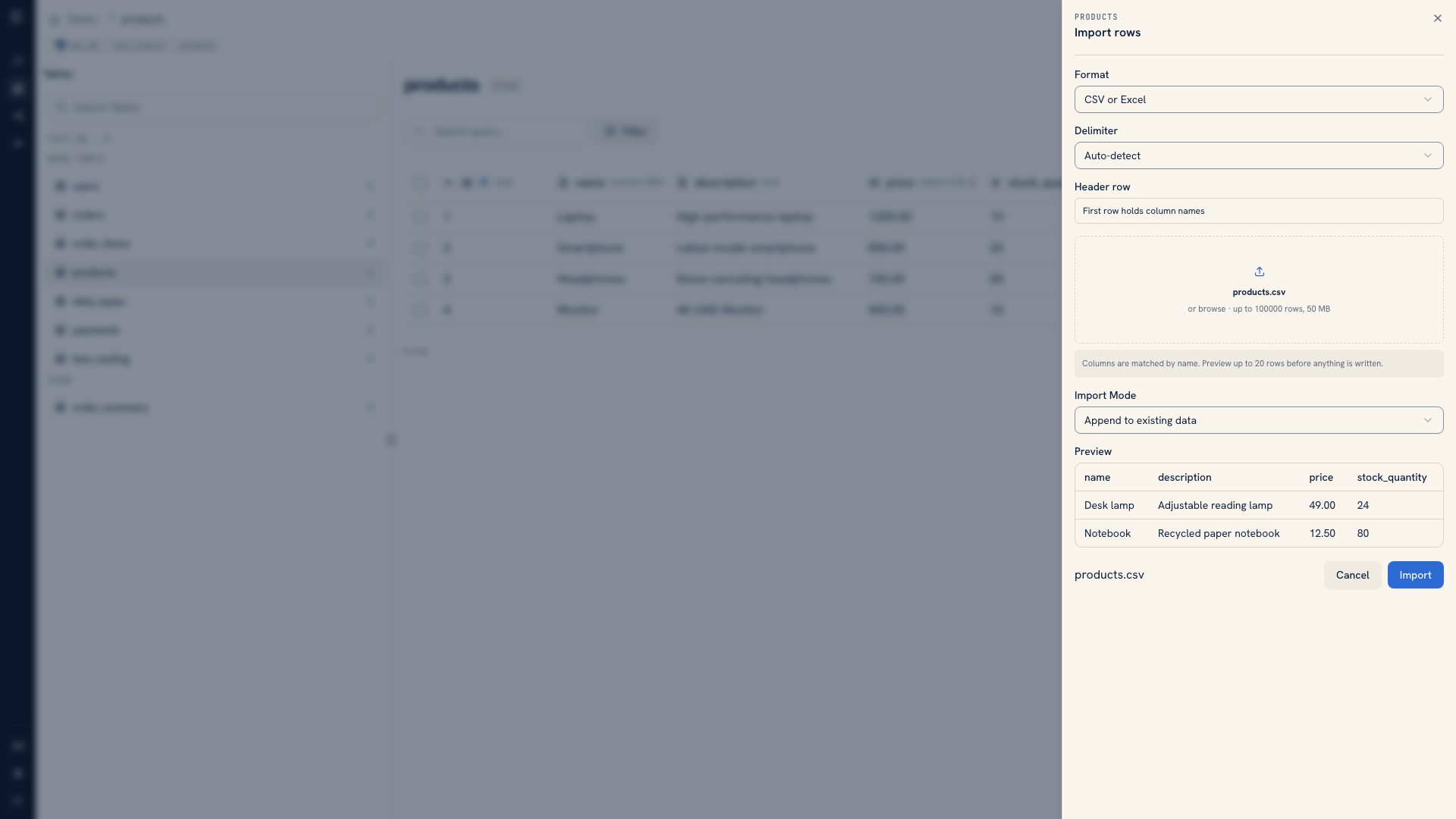 Reviewing file columns and sample rows before import
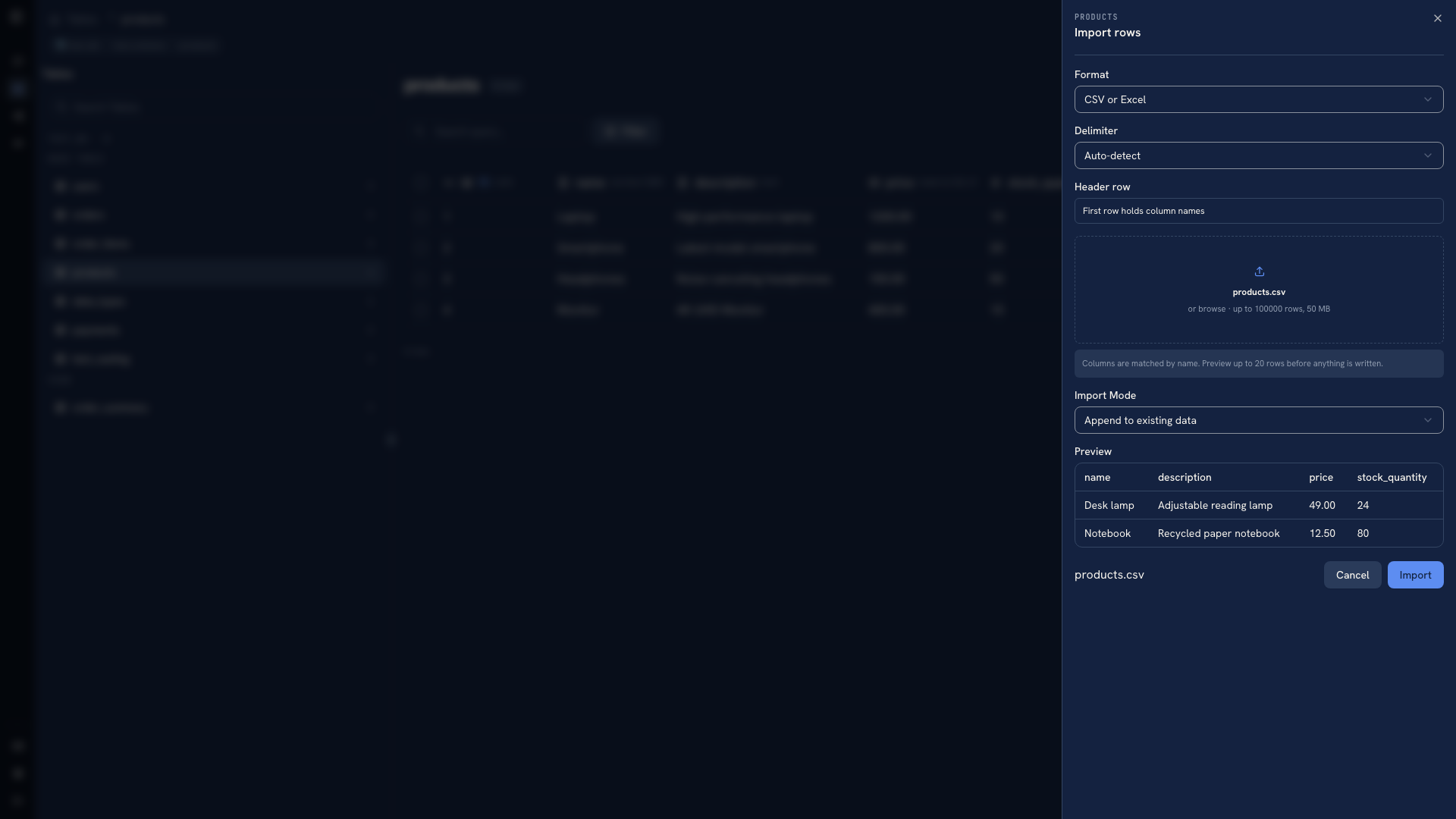 Reviewing file columns and sample rows before import
Choose the mode based on the target's existing data. Append adds new records and can skip conflicting primary keys for SQL sources. Upsert requires keys and updates matching records where supported. Relational overwrite can clear entire referencing tables as well as the target, so it needs a recovery plan for those tables too.
See Importing data for supported formats, limits, and mode details.
Verify the outcome#
Compare source and target counts, then inspect known records. Check relationships and missing values rather than relying on counts alone. Two datasets can have equal counts and different contents.
Review parser and constraint errors before retrying. A retry without knowing what was already written can duplicate records or leave a mixed result. Keep the original export and recovery path until validation is complete.
For application schema changes, preserve a versioned migration. For recovery copies, use native backup tools.
Was this page helpful?