
Read a schema topology
A schema diagram helps you answer a practical question: which objects do I need to read to understand this record or result? Use it when joining an unfamiliar database, investigating an unexpected count, or explaining a data path to a colleague.
In WhoDB, open Graph and choose the objects relevant to that question. The diagram reflects relationships supplied by the source.
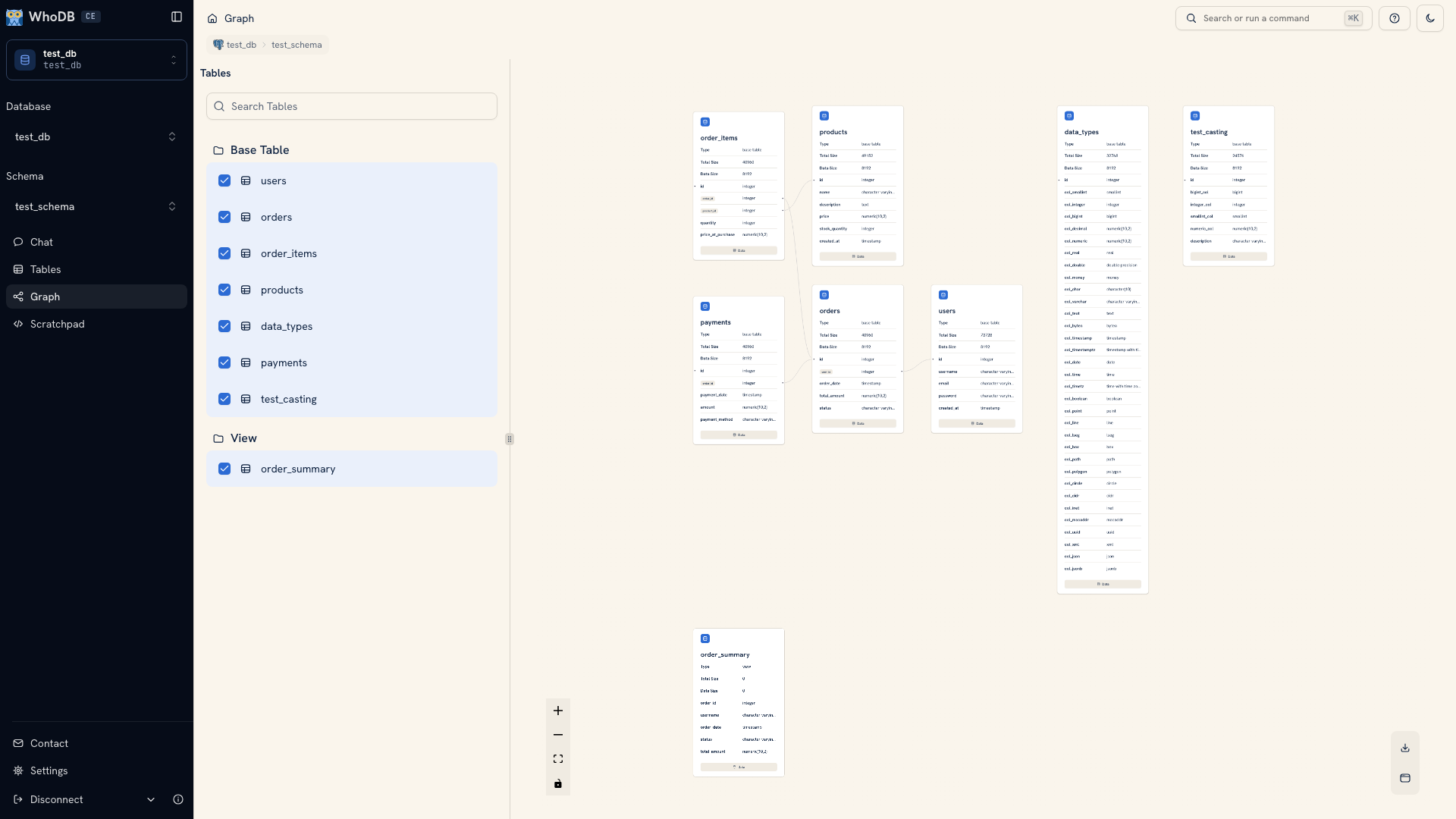 A schema topology in Graph
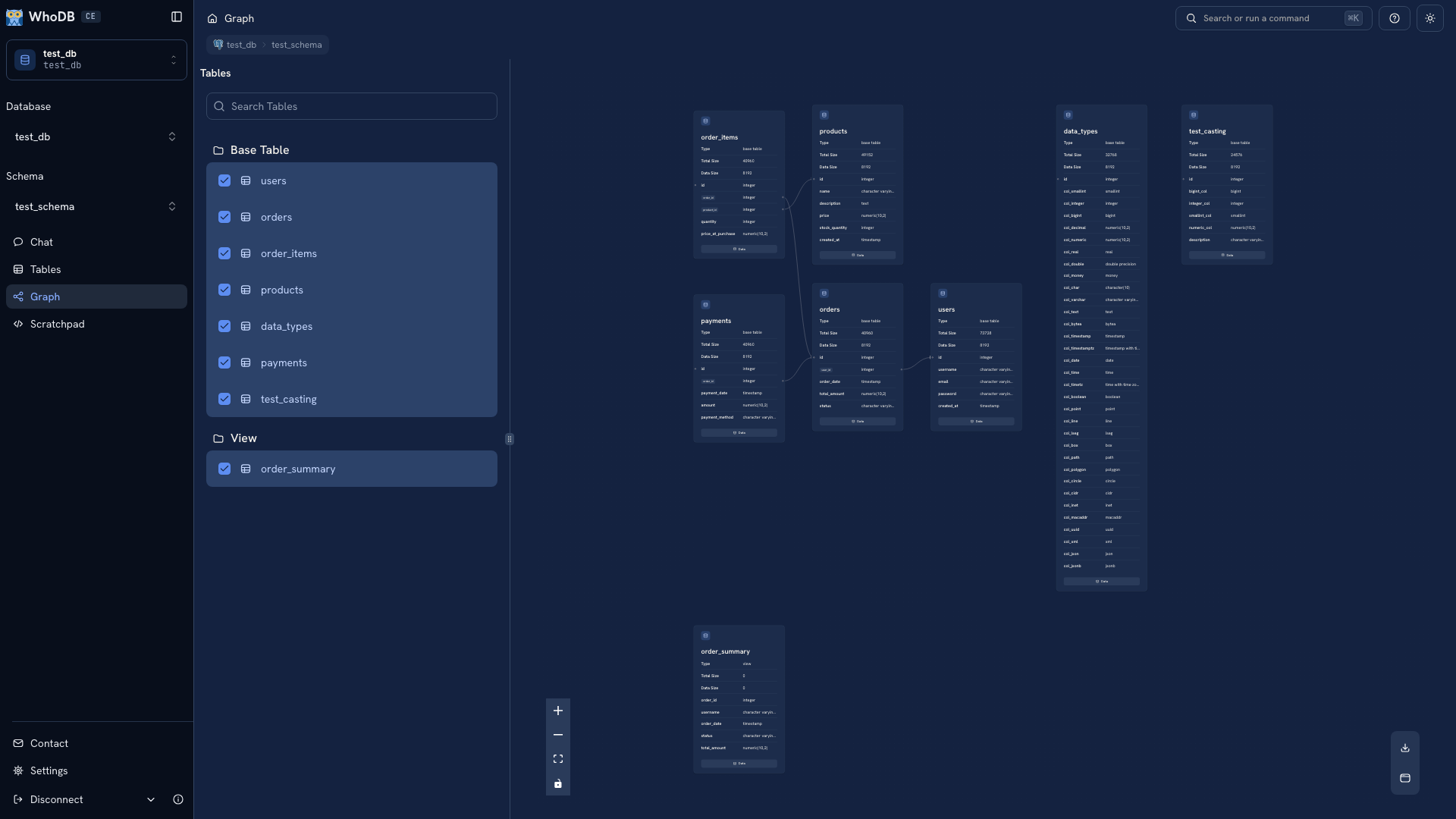 A schema topology in Graph
Start with the central object#
Select the object your question concerns, then add its immediate neighbors. For an order problem, begin with orders and users. Add order items or payments only when the question requires them.
Use fit view after changing the selection. If the diagram becomes hard to read, remove objects that are not part of the path you are following rather than zooming farther out until every label is tiny.
Inspect the keys#
Open node details and compare the relevant fields on both sides of an edge. Confirm the join key in metadata before writing a query.
A declared foreign key tells you how the database relates records. The business question still determines filters and aggregation. For example, the schema can show how payments relate to orders, but you must still decide which payment states count toward the amount you are calculating.
Verify a proposed path with a small query. Inspect individual records before building a larger aggregate, especially when a path includes more than one one-to-many relationship.
Save a useful view#
Download a focused diagram when it helps explain an investigation or onboard someone to the schema. Include the database, schema, and capture date with the image. A diagram of a development database is not evidence of the current production schema.
Keep the query and your interpretation beside the diagram. If the schema changes, recapture the view and check whether the query's assumptions still hold.
Next: Relationships explains join keys and missing edges. Write a query shows how to check the path against actual records.
Was this page helpful?