
Explore with an AI assistant
Use Chat when you need help drafting a query for a question you can describe in words. Give the model enough source context to produce a checkable answer, then inspect the SQL before relying on the result.
Start with a small question#
Connect to the intended database and choose a configured provider and model. Name the real object, the fields you need, and a result size. For example:
Show the first ten rows in test_schema.users ordered by id, with id, username, and email.
Use your own schema's names. A narrow request makes an incorrect field or unexpected result easier to spot. Follow your organization's rules for sending schema and data context to the selected provider.
Inspect what the model ran#
Open the SQL behind the answer. Check the selected objects, join keys, filters, and limit. Compare a known record with the Data view. If you asked for a business measure, check its definition as well as its arithmetic.
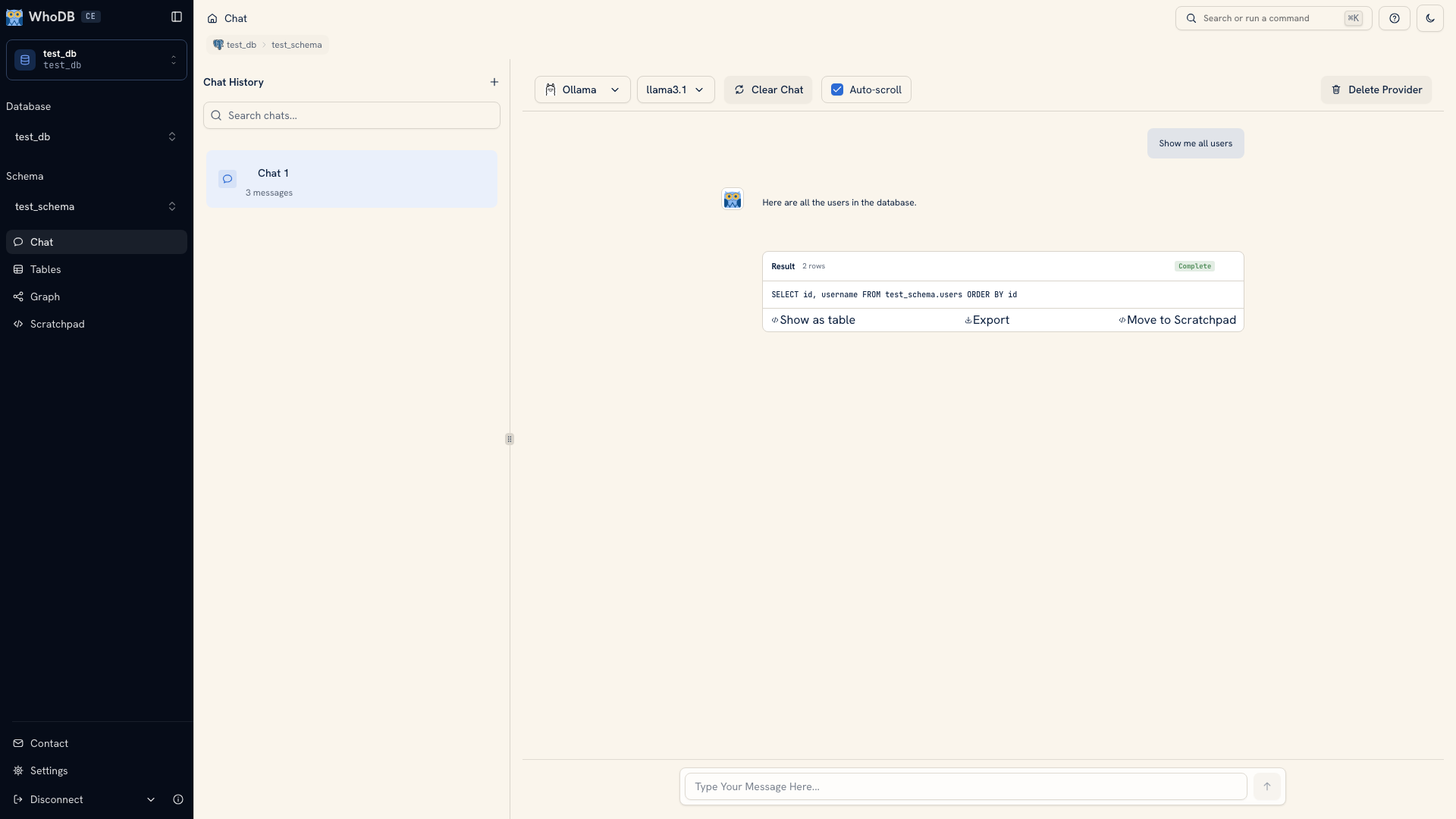 Inspecting generated SQL in Chat
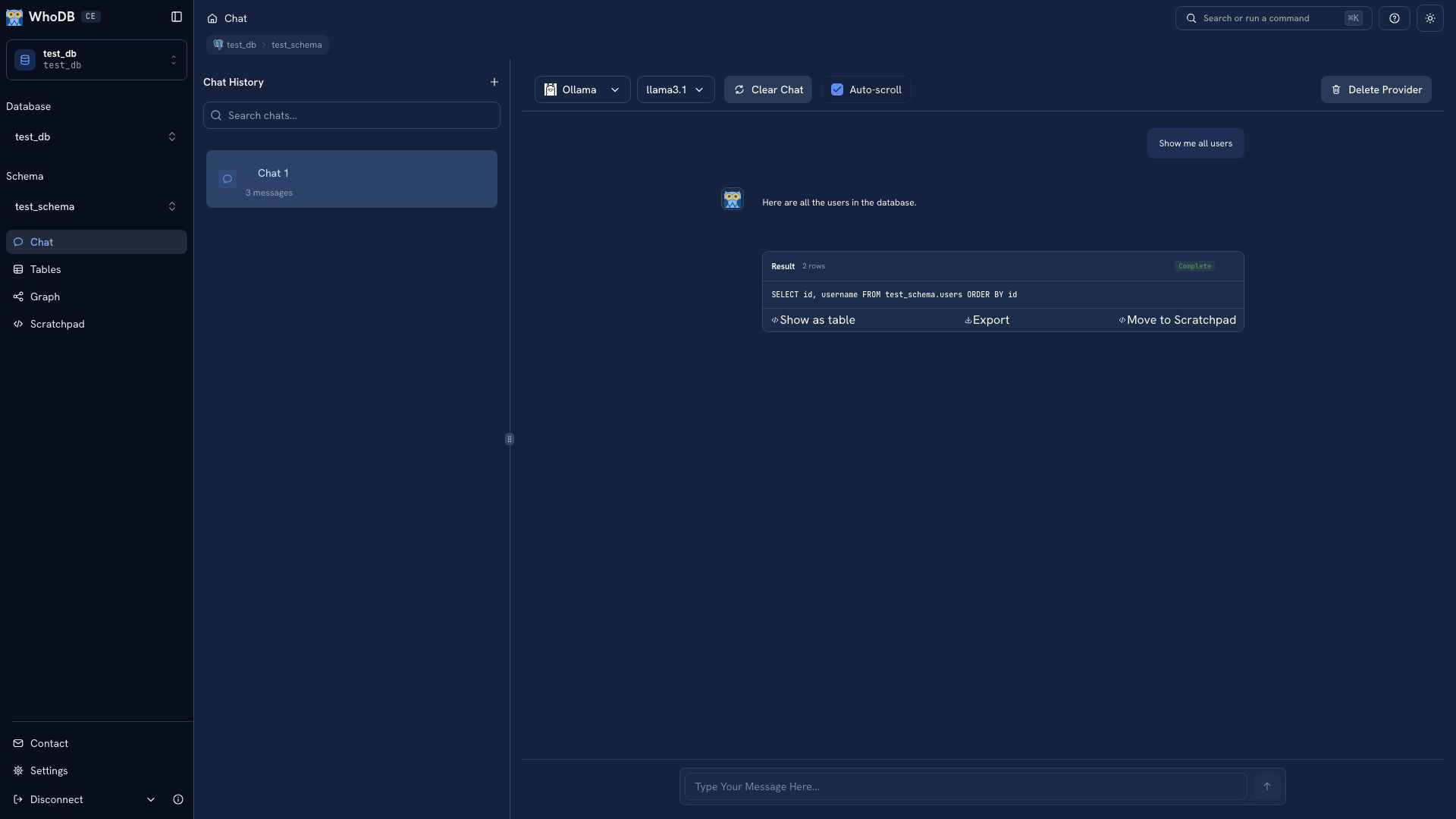 Inspecting generated SQL in Chat
A plausible explanation does not prove that the model selected the intended records. If a field or relationship is wrong, supply the correct information and inspect the revised query. A database error is useful evidence about the query, not a reason to keep retrying without a diagnosis.
Keep the query you can explain#
Ask a follow-up that changes one rule at a time. Use Move to Scratchpad to take over editing and retain the useful SQL outside the browser.
If the model proposes a data change, review the statement in its confirmation card before running it. See Chat changes for the approval flow.
The documentation's Chat images use fixed demonstration responses. Follow AI setup and your first Chat query to try the workflow with a live provider.
Was this page helpful?